Every matter starts with a first pass.
When a new matter is opened, Clava reads the documents in the background and does a first pass, as a lawyer would. The matter’s workspace then holds the overview, the issues, the chronology, the drafts and the requests, each cited to its source.
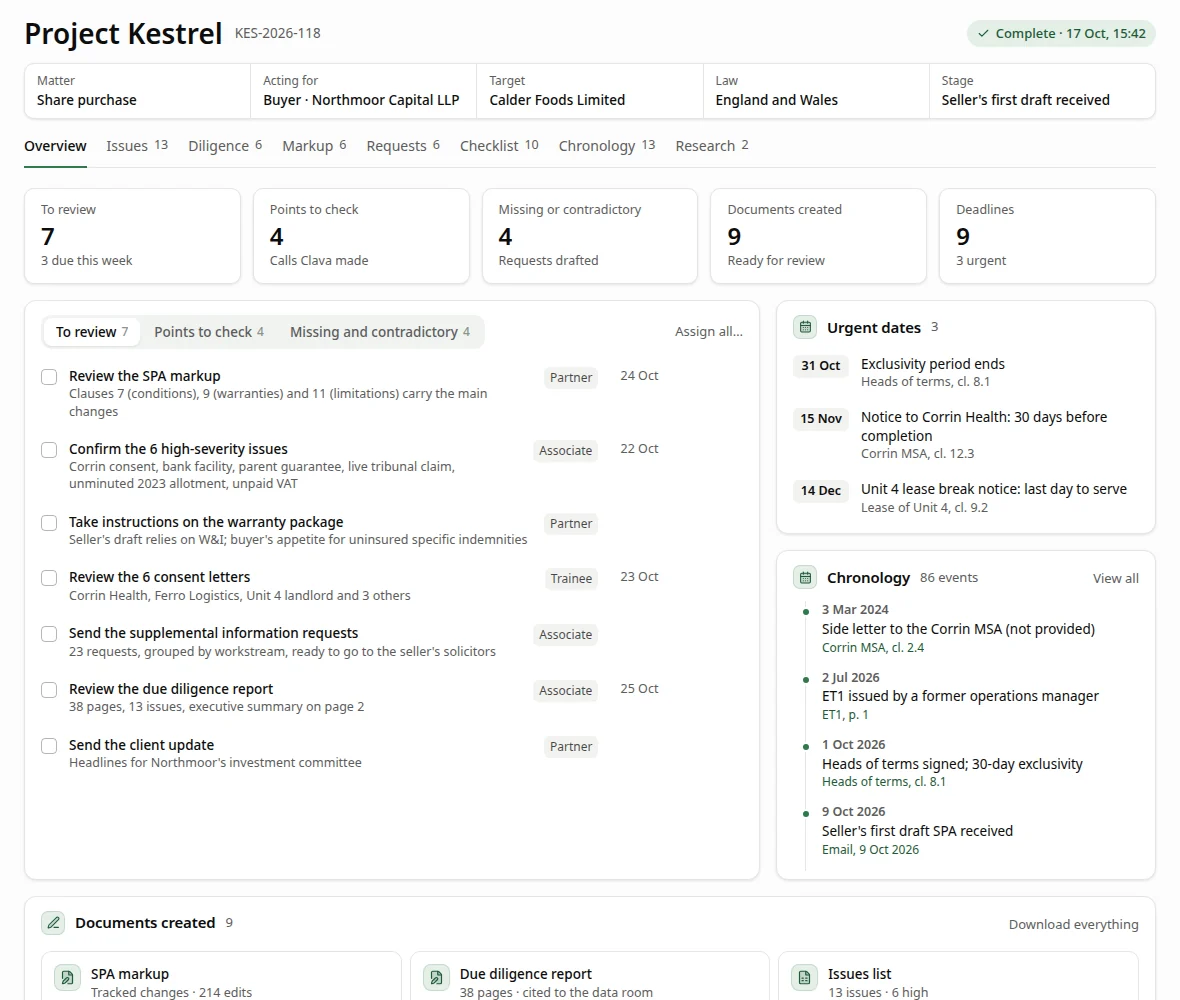
The lawyer starts from the work, not a blank page.
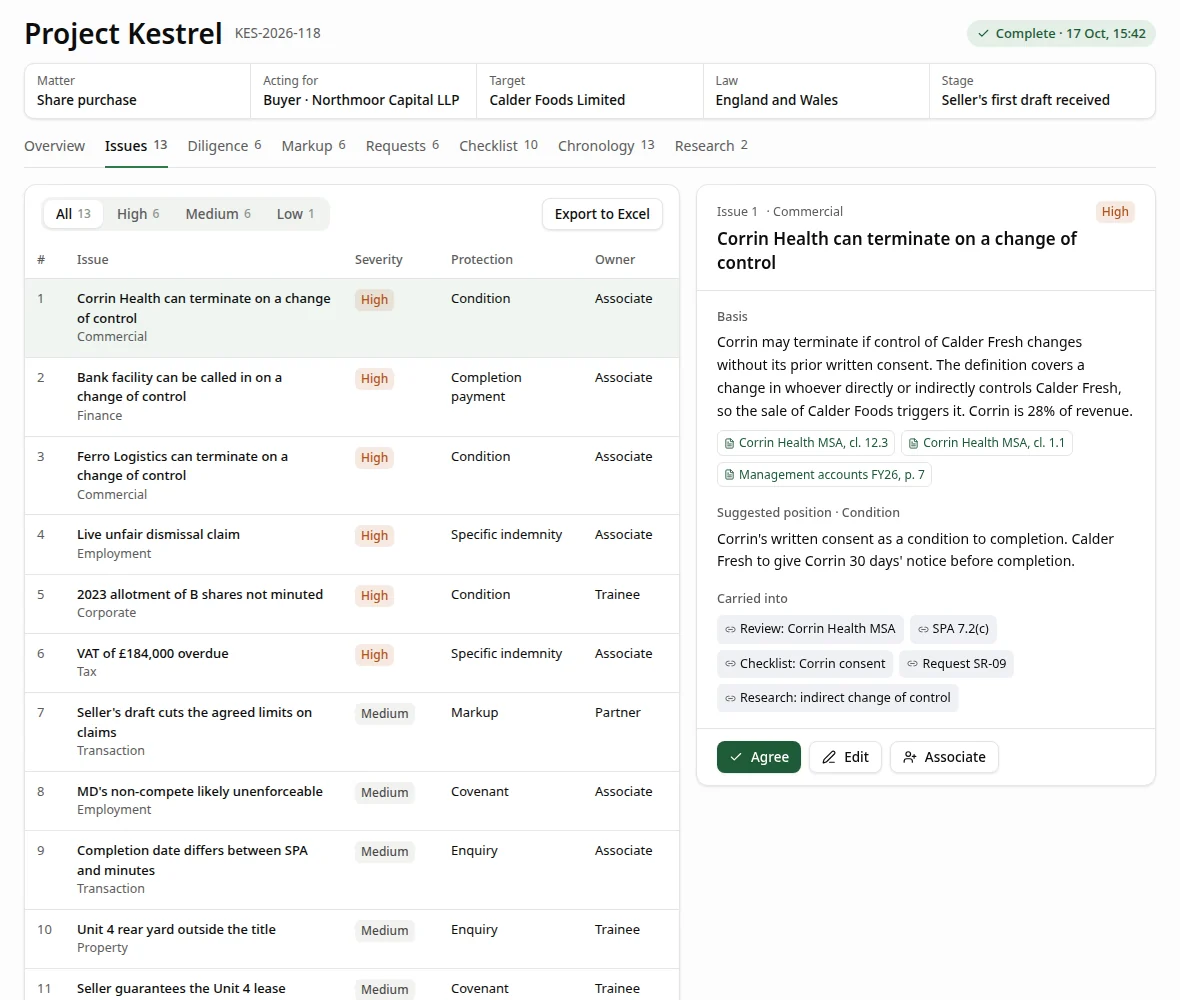
Each part of the matter is a tab. Every item points back to the document it came from, and the lawyer decides what to keep.
- OverviewThe matter at a glance: who acts for whom, the stage it has reached, key dates, and what needs the lawyer’s attention.
- IssuesThe issues the documents raise, each with its basis, a suggested position and citations. Approve, edit or reject each one.
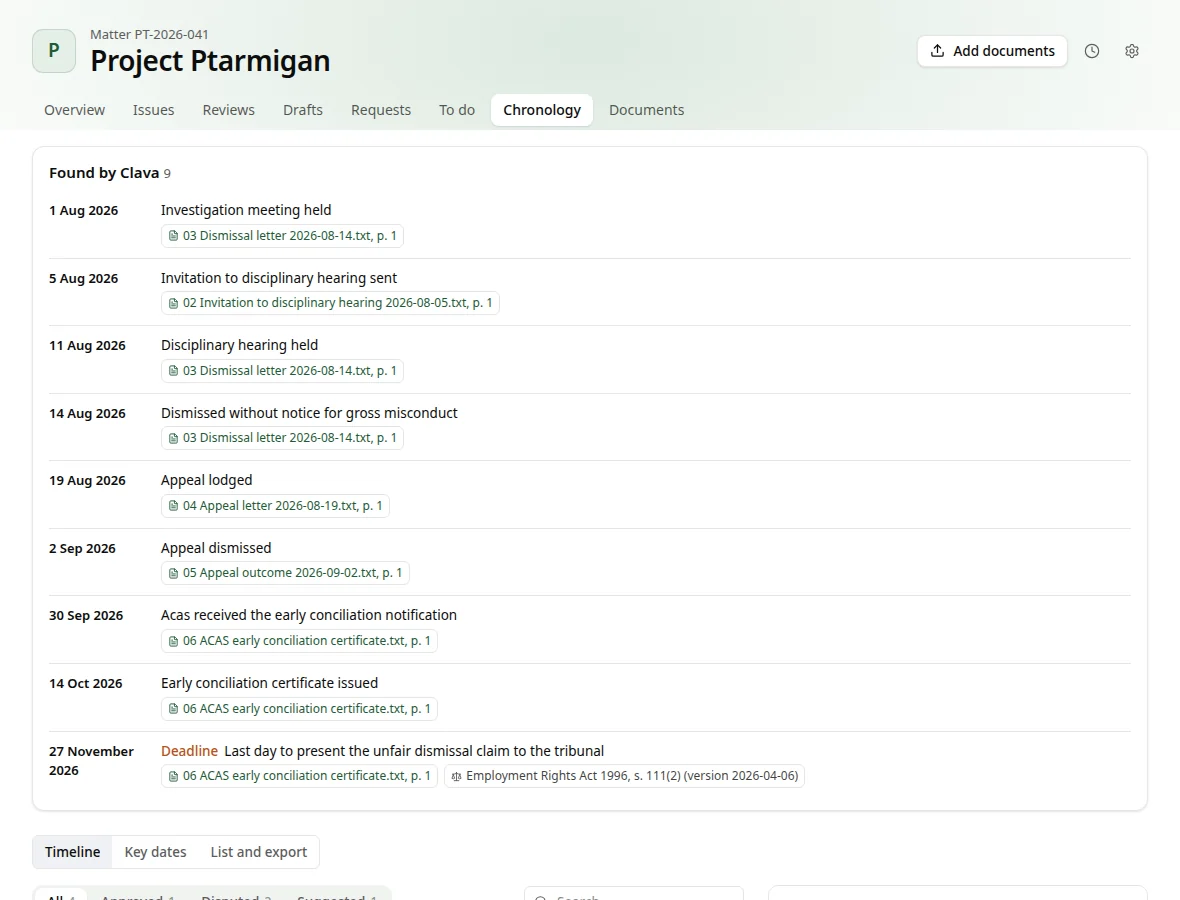
- ChronologyDated events taken from the documents, each with its source and page. Points where documents disagree are flagged.
- DraftsDraft documents, such as a matter summary, a letter or a report, ready for the lawyer to check and edit.
- RequestsThings the lawyer needs to approve or answer, such as a document the file seems to be missing or two documents that contradict each other.
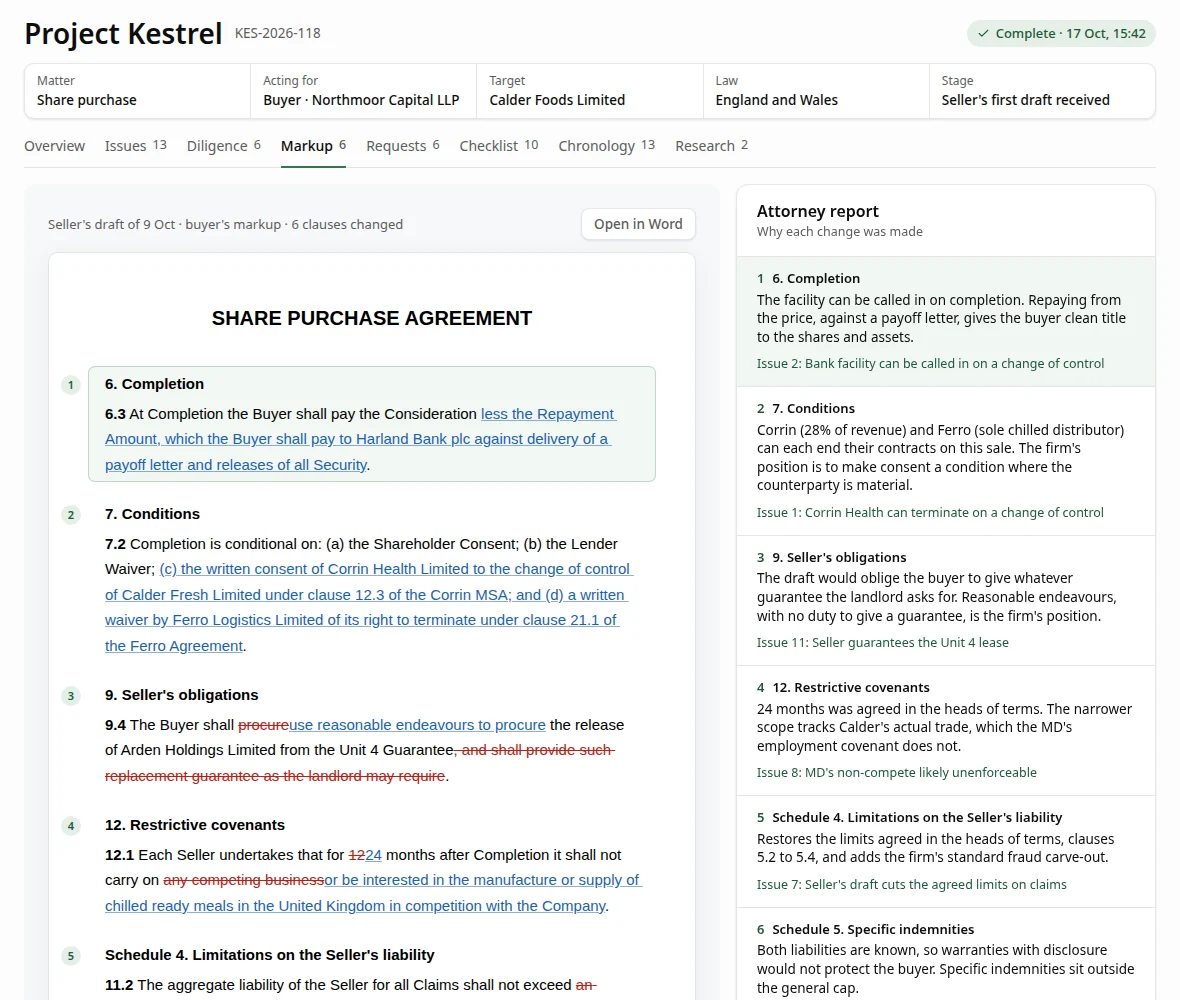
Drafts open with the changes marked.
Clava marks up a counterparty’s draft with tracked changes that a person can accept or reject. A report beside the draft says why each change was made.
The same tabs work for any area of law.
Clava does the first pass on the matter in front of it, whether that is an employment claim, a property transaction or a share purchase. The lawyer reviews it and decides what goes forward.
See a first pass on a matter like yours.
Tell us your practice areas and the work that takes your team longest. We’ll show you Clava doing that work, from the first pass to the approvals.